Are you a data professional and AI curious? SQL Server 2025 (currently in public preview) comes with a new feature for the AI era: vector embeddings and vector search. If you’ve been hearing buzzwords like “semantic search” or “AI-powered queries” and wondering what they mean for your day-to-day work, you’re not alone. This feature brings a new way to search and analyze data, especially unstructured stuff like text, right inside SQL Server.
What’s a Vector Embedding?
A vector embedding is a way to turn something like a sentence, image, or even a cat meme into a list of numbers that captures its meaning. These numbers live in a high-dimensional space (think hundreds or thousands of dimensions), and they’re generated by machine learning models trained to understand data’s context.
Each dimension in a vector represents a feature or aspect of the data. For example, a 768-dimensional vector might represent a sentence where each number captures some nuance of meaning, grammar, or context. The model you choose has a set number of dimensions. The higher the number, the better the understanding of the data, but with a tradeoff on performance.
Instead of matching exact words, you’re matching ideas. For example, “book a flight” and “reserve a plane ticket” might look similar as vectors, even though the words are different.
Why Should You Want This?
Traditional T-SQL queries are great for structured data and exact matches. But they struggle with nuance. If you’re searching support tickets, product descriptions, or customer feedback, you want results that feel relevant, not just ones that match a keyword or an unmanageable number of LIKE statements. That’s where vector search comes in. It lets you find data that’s similar in meaning to your query, even if the words don’t match exactly. It’s like giving your query intuition. No more thinking about all the possible text that might be in a column.
How It Works in SQL Server 2025
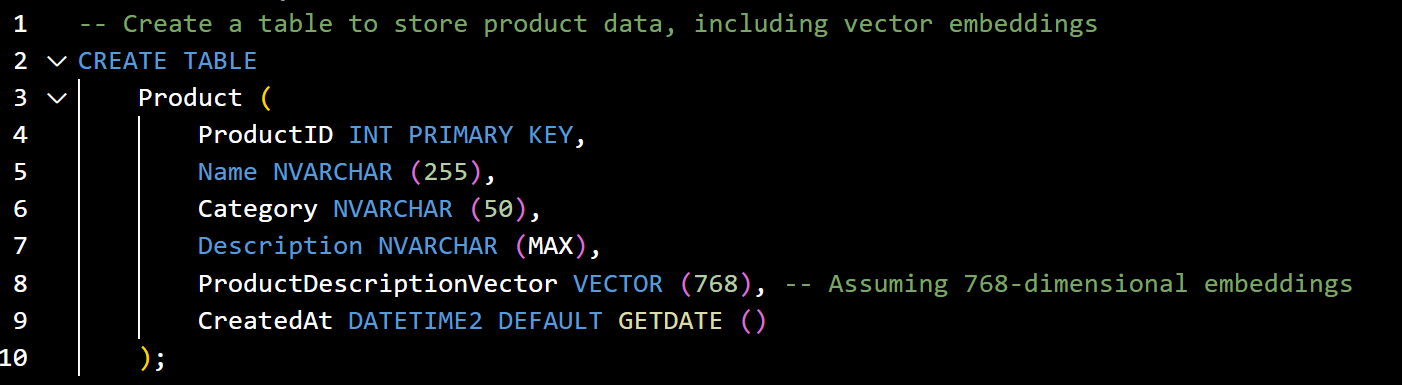
SQL Server now supports a new VECTOR data type, so you can store these embeddings right in tables. You can generate them using external tools (like Azure OpenAI or other models), or use built-in integrations to do it on the fly.
-- Create a table to store product data, including vector embeddings
CREATE TABLE
    Product (
        ProductID INT PRIMARY KEY,
        Name NVARCHAR (255),
        Category NVARCHAR (50),
        Description NVARCHAR (MAX),
        ProductDescriptionVector VECTOR (768), -- 768-dimensional embeddings
        CreatedDateTime DATETIME2 DEFAULT GETDATE ()
);Speeding Things Up with Smart Indexing
Searching through thousands or millions of vectors can get slow, so SQL Server 2025 includes support for
DiskANN (Disk-based Approximate Nearest Neighbor) indexing. This algorithm was developed by Microsoft Research. It’s used to scale these searches for very large datasets.
While SQL Server 2025 is still in preview, you’ll need to turn on some trace flags to enable vector queries and indexing.
DBCC TRACEON(466, 474, 13981, -1)After you’ve done that, you are ready to create your index if you have large datasets.
-- Modified version of Microsoft Learn

CREATE VECTOR INDEX IX_Product_ProductDescVector

ON Product (ProductDescriptionVector)

WITH (METRIC = 'COSINE', -- Options: 'COSINE', 'EUCLIDEAN', 'DOT_PRODUCT'

    MAXDOP = 16,

    TYPE = 'DiskANN'

);
Vector Search
Once you’ve got your embeddings, you can use functions to compare them and find the closest matches. It’s kind of like a “semantic JOIN.” You can use the VECTOR_DISTANCE() function to compare vectors and find the most or least similar entries. You can choose between exact search (which compares every vector precisely) or approximate search. Results can also be filtered using standard SQL clauses like WHERE, ORDER BY, and TOP, combining this search with the table actions you’ve always used. This makes it easy to build queries like “find the top 5 products most similar to this one, but only in the spacesuit category.” The VECTOR_DISTANCE() function produces a number, where a lower number represents closer matches and a higher one for least alike.
-- Modified from Microsoft Learn

DECLARE @SpacesuitVector VECTOR(768) = VECTOR_FROM_JSON('[0.12, -0.34, ..., 0.56]'); -- Replace with actual vector

SELECT TOP 5 ProductID, Name, Category, VECTOR_DISTANCE(ProductDescriptionVector, @SpacesuitVector) AS SimilarityScore

FROM Product

WHERE Category = 'Spacesuit' -- Optional filter

ORDER BY VECTOR_DISTANCE(ProductDescriptionVector, @SpacesuitVector) ASC;Real-World Use Cases
This vector stuff isn’t just for AI researchers. If you manage customer data, you can use vector search to find similar complaints or feedback. If you’re in e-commerce, you can recommend products based on descriptions or user purchase behavior. You could provide customer support staff with links to solutions that would fix a customer issue even though it was described differently in other tickets. Anti-fraud tasks could use logs to compare actions that are outliers for normal user behaviors.
Basically, if your data has meaning beyond exact words or numbers, vector search can help you find it.
Getting Started
If you’re new to this, don’t worry, it’s not as intimidating as it sounds. Start by exploring embedding models (Azure OpenAI is a good place to begin), learn how to store vectors in SQL Server, and experiment with similarity queries. Microsoft has vector documentation and samples to help you get going. There’s even a GitHub vectorizing repository to get you started: less typing, more learning.
I bet once you see what vector search can do, you’ll start seeing use cases all over your data. If you’ve done this type of work with other methods, I’d love to hear about your efforts.


Comments are closed